GIFFrame
Drop a GIF or image sequence拖入 GIF 或多张图片
Processed on your device在设备上处理
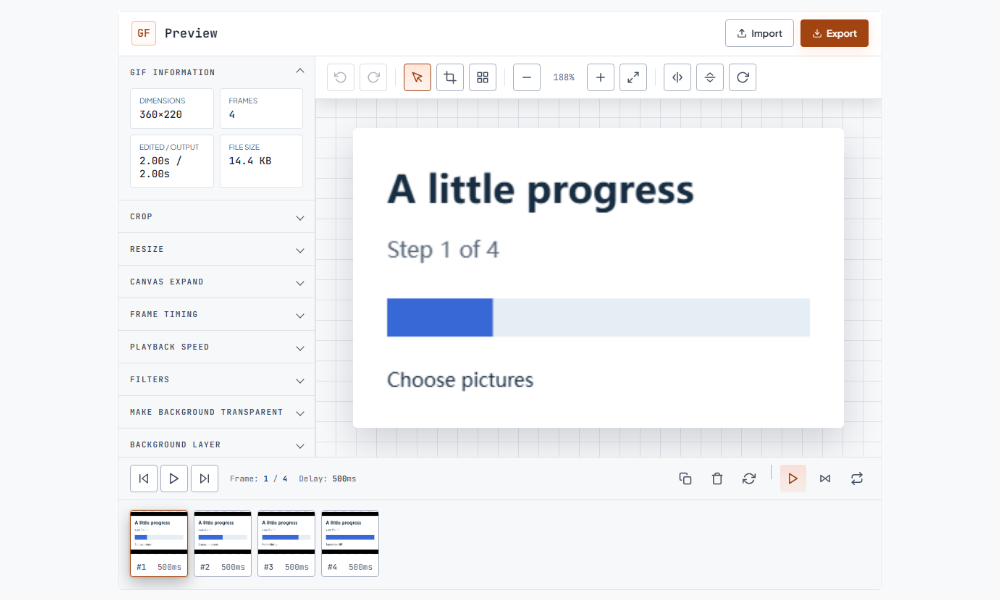
Open a GIF or a sequence of pictures in the GIF editor when you need several edits before export. Inspect the timeline, choose the relevant frame or canvas controls, and preview the result as you work. You can combine frame order, timing, and dimensions instead of opening a separate tool for each operation. Save an exported copy when the full loop looks right. Keep your original file available so you can compare versions or return to the starting point.需要连续进行多种修改时,可以在 GIF 编辑器中打开动画或一组图片。先检查时间轴,再按需要调整帧、时间与画布,边操作边预览。完成后导出副本,并保留原文件以便比较不同版本。
Processed on your device在设备上处理
For a combination of edits, start with the change that affects the picture, then check frame order and timing before export. Watch the join between the last and first frames. Download a copy and open it outside the workspace to check the saved result at its intended display size. Continue with the image to GIF.组合修改时,可以先处理画面,再检查帧顺序和时间。留意结尾回到开头的衔接,下载后在工作区以外打开副本,按实际显示尺寸检查保存结果。 接下来可以使用图片转 GIF。